Intelligent bookmarks · Free
Stop bookmarking. Start remembering.
Constella is an AI bookmark manager. Save any web page, post, PDF or screenshot in one click, mark it up, and keep it all in one place. Then search and ask about everything you've saved, in plain English, with the source one click away.
Chrome and Chromium browsers today · iPhone app coming soon
Sound familiar?
Bookmarks are where pages go to be forgotten.
A folder of links you never open
Hundreds of bookmarks, no idea what's in them, and half the pages have changed or gone.
Screenshots lost in Downloads
Saved to remember something, then buried under file names like Screenshot 2026-03-14.
You remember reading it, not where
The fact is in your head. The page that proves it isn't.
How it works
Capture it once. Find it, and use it, forever.
1
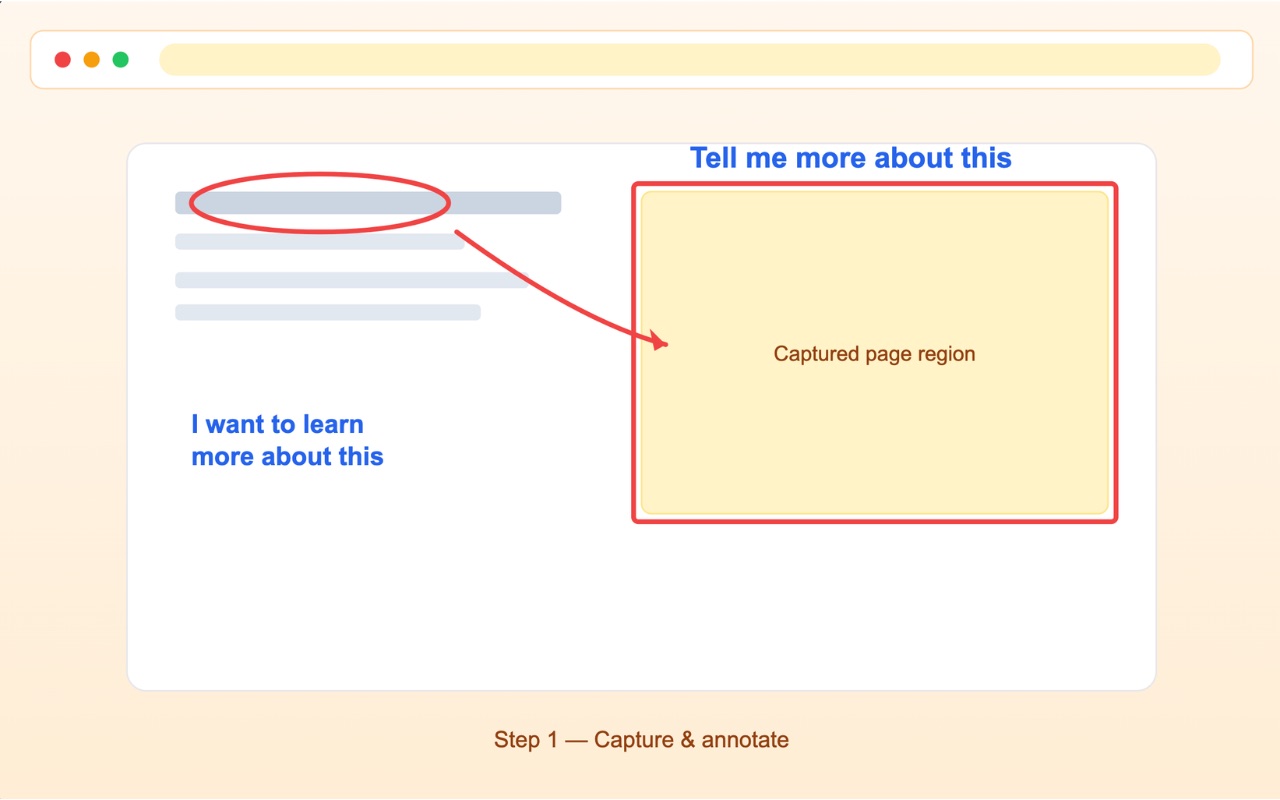
Capture and mark it up
Save a full scrolling page or drag over just the part that matters. Circle, arrow, highlight and type right on it.
2
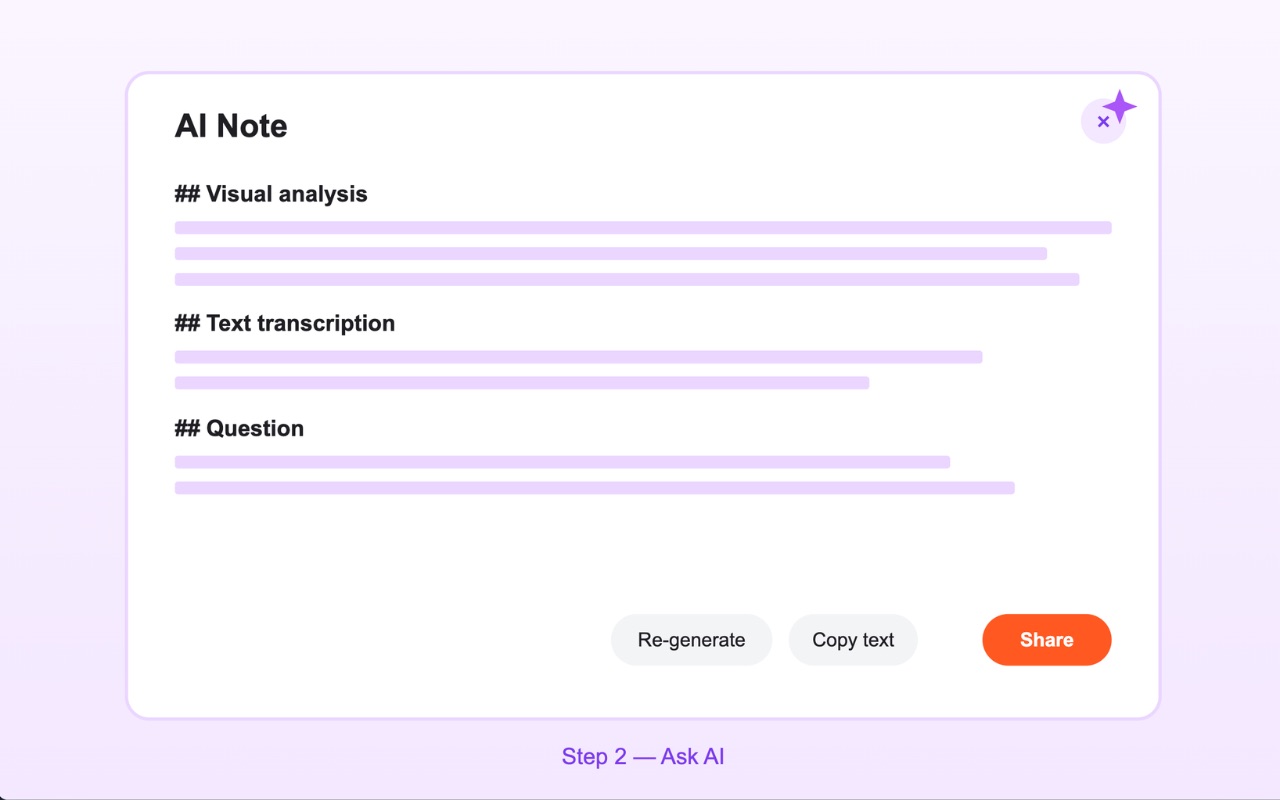
Ask AI about it
One click describes what's on screen, transcribes the text it can see, and answers your question about it.
3
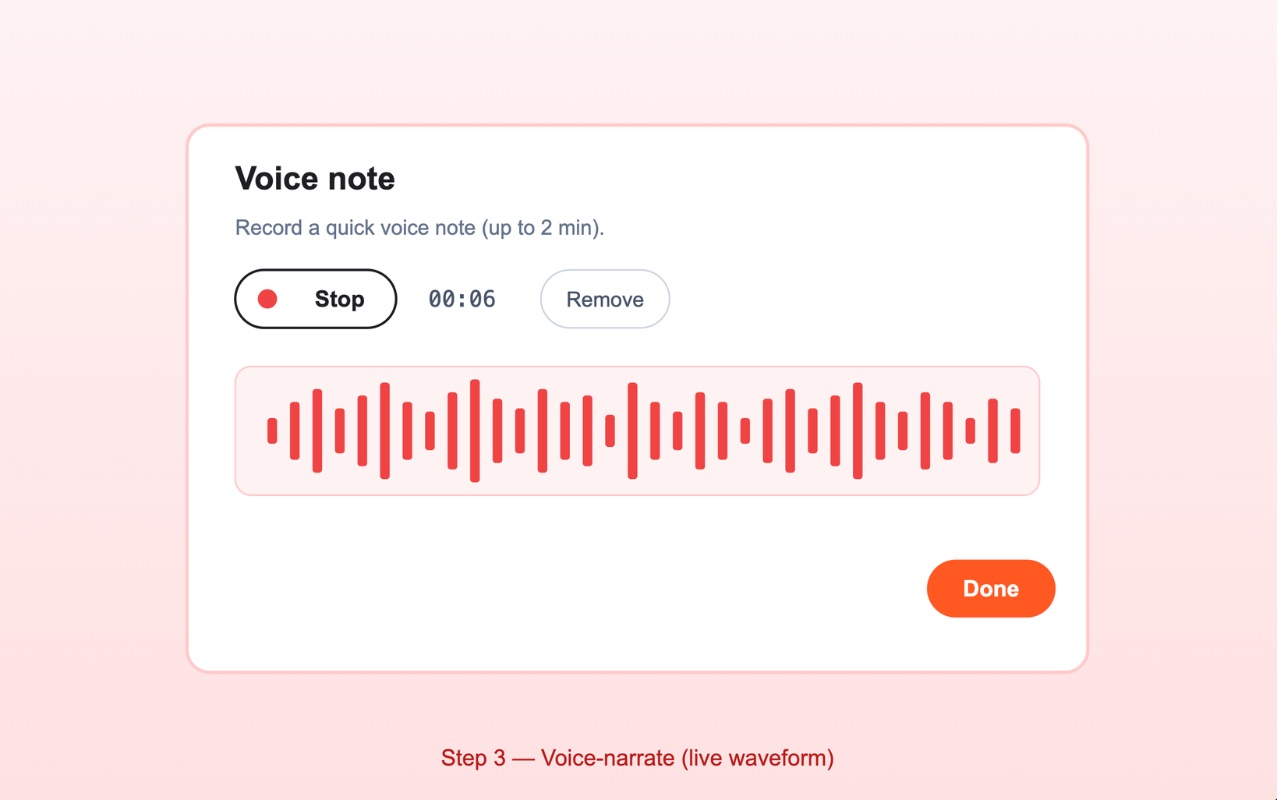
Say it out loud
Record a voice note while you look. Constella transcribes it and keeps it with the capture.
Everything lands in your Constella memory, searchable by meaning, not by file name. Ask across all of it in chat, add it to a project, or let an agent work from it.
What's inside
A real capture tool, not a bookmark button.
Full-page screenshots
Constella scrolls the page for you and stitches one crisp image, without repeating sticky headers.
Region capture
Drag a rectangle and release. The selection outline never ends up in the image.
A proper editor
Pen, highlighter, shapes, arrows and text on a big canvas in its own tab, with undo.
AI Note
Summaries, a description of what the screen shows, and the text it can read, ready to paste.
Voice Note
Talk through what you see. The transcript sits next to the image.
Private links
Share a link that asks the viewer to sign in. No anonymous public URLs by default.
Send to Slack
Connect your own workspace once and post a capture to any channel you can access.
Your history
Every capture, dated and searchable, one click away in your memory.
Everywhere you read
On your iPhone too.
Share a page, photo or screenshot from Safari or any app straight into the same memory, dictate a voice note on the go, and ask from anywhere, with sources.
COMING SOON TO THE APP STORE
Tap Share, pick Constella, done.
What you save on your phone is there on your laptop, and the other way round.
Who uses it
For anyone who reads the web for work.
Researchers and students
Keep the figure with its context, and search by what it means later.
Product and design
Capture the whole page, circle what's wrong, and share one link.
Developers and support
Full-page captures and voice walkthroughs that make a ticket clear.
Sales, ops and founders
Pricing pages, competitors and receipts, all in one memory you can ask.
Constella only captures a page when you click. Your captures are private to you until you share them or add them to a project. Privacy Policy →